簡介
為了即時掌控系統服務的運作以及相關資源的使用情況,可以利用 Prometheus 配合 Grafana 來監控整體系統狀況。
Prometheus
一套高效能的服務監控開源系統,可以即時取得監控目標的相關資訊來處理,主要負責收取監控目標上的相關資訊。
特點
- 高效能的時間序列資料庫系統 (TSDB)
- 主動拉取式的架構
- 提供查詢語言
PromQL - 主動警告內容
- 利用各種 exporter 來進行資料搜集
安裝流程
-
安裝 node exporter
wget https://github.com/prometheus/node_exporter/releases/download/v<VERSION>/node_exporter-<VERSION>.<OS>-<ARCH>.tar.gz
tar xvfz node_exporter-*.*-amd64.tar.gz
cd node_exporter-*.*-amd64
./node_exporter
執行成功的話應該可以看到類似於下面的 log
INFO[0000] Listening on :9100 source="node_exporter.go:111"確認有在執行後,可以利用此指令來確認 metrics 的執行情況
curl http://localhost:9100/metrics應該要可以看到類似於下方內容
# HELP go_gc_duration_seconds A summary of the GC invocation durations. # TYPE go_gc_duration_seconds summary go_gc_duration_seconds{quantile="0"} 3.8996e-05 go_gc_duration_seconds{quantile="0.25"} 4.5926e-05 go_gc_duration_seconds{quantile="0.5"} 5.846e-05 # etc. -
安裝 prometheus
wget https://github.com/prometheus/prometheus/releases/download/v*/prometheus-*.*-amd64.tar.gz
tar xvf prometheus-*.*-amd64.tar.gz
cd prometheus-*.*
修改
prometheus.yml來進行相關設定# my global config global: scrape_interval: 15s # Set the scrape interval to every 15 seconds. Default is every 1 minute. evaluation_interval: 15s # Evaluate rules every 15 seconds. The default is every 1 minute. # scrape_timeout is set to the global default (10s). # Alertmanager configuration alerting: alertmanagers: - static_configs: - targets: # - alertmanager:9093 # Load rules once and periodically evaluate them according to the global 'evaluation_interval'. rule_files: # - "first_rules.yml" # - "second_rules.yml" # A scrape configuration containing exactly one endpoint to scrape: # Here it's Prometheus itself. scrape_configs: # The job name is added as a label `job=<job_name>` to any timeseries scraped from this config. - job_name: "prometheus" # metrics_path defaults to '/metrics' # scheme defaults to 'http'. static_configs: - targets: ["localhost:9100"]解壓縮後,即可執行
./prometheus可以利用
http://localhost:9090/graph來檢查是否正確啟動,可以到Status-Target來確認是否有正確監聽到 metric -
安裝 grafana
sudo apt-get install -y adduser libfontconfig1 musl
wget https://dl.grafana.com/enterprise/release/grafana-enterprise_11.1.4_arm64.deb
sudo dpkg -i grafana-enterprise_11.1.4_arm64.deb
安裝完成後,即可執行
service grafana-server start連線到
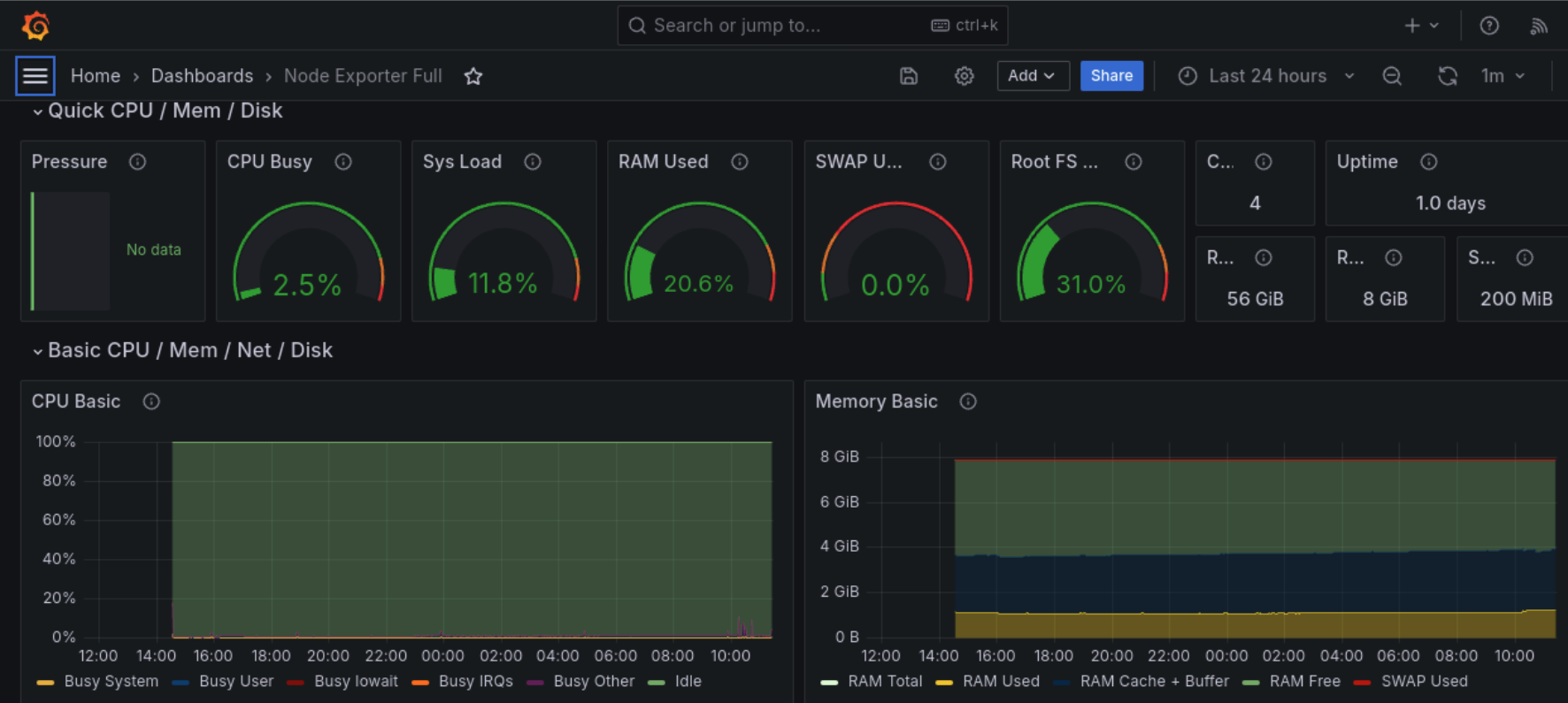
http:localhost:3000,帳密為admin/admin,建立新的 data source,並匯入適合的 Dashboard ,這邊推薦id: 1860若遇到 Dashboard 沒有資料的問題,請檢查prometheus.yml的監聽 host 是否有設定正確。